MAHANAKHON RACING Car Customization Guide for Your Bike
Learn how MAHANAKHON RACING car customization works: reach a customization point, press P, set up decorative lights, and stack cash with codes and jobs.
Jump to
How Customization Works in MAHANAKHON RACING
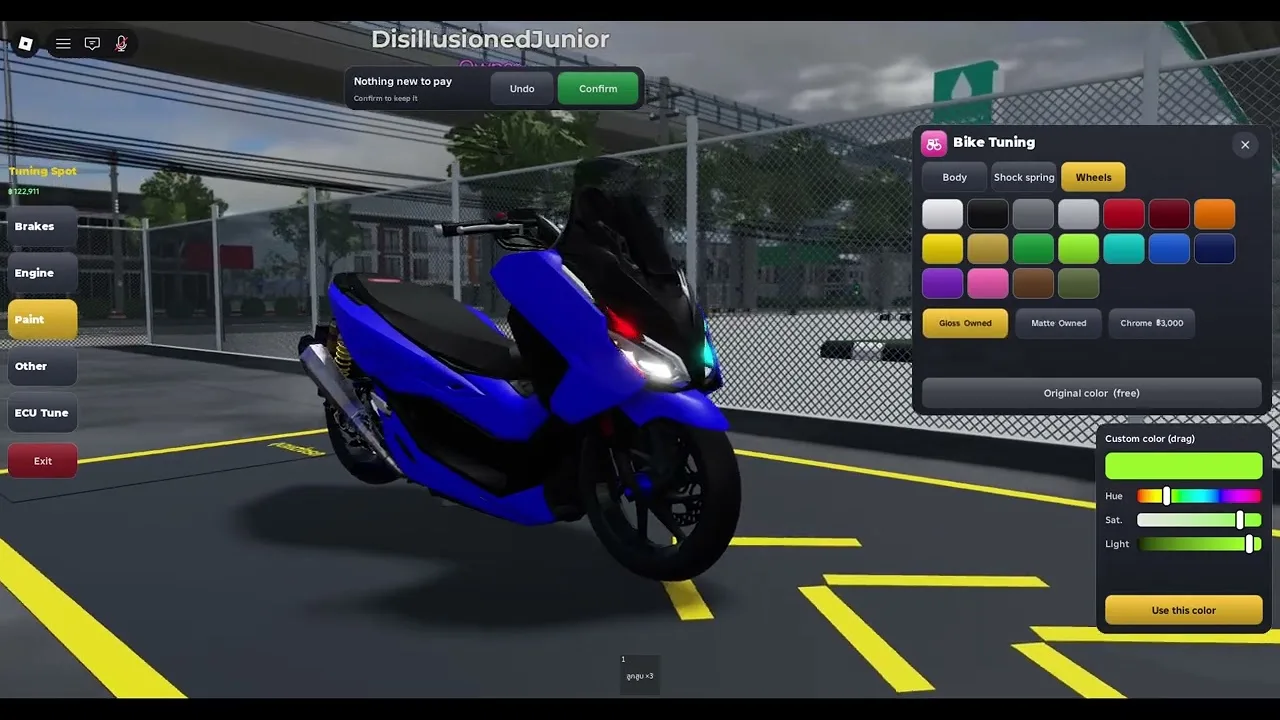
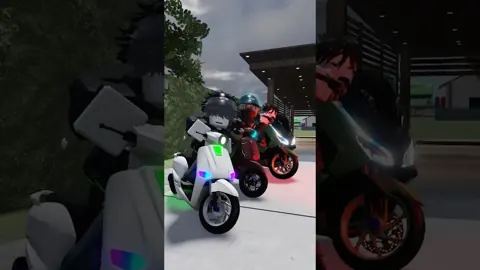
Turning a stock bike into something that turns heads is half the fun of riding alongside up to 24 other players on a 25-player server. If you came looking for MAHANAKHON RACING car customization, the first thing to know is that your "car" is a motorcycle: the whole game is a motorbike driving simulator, from classic Vespa-style scooters in your My Ride menu to whatever you spawn next. Customization isn't a menu you can open anywhere. It's tied to physical locations on the map.
Here's the core rule:
- P opens customization, but only at a customization point. Pressing P out on the road does nothing useful. Ride to a designated spot first, then press it.
- Read what the menu actually shows. Options appear inside the live interface, so browse them before spending cash.
- Keep P and L separate. L toggles decorative lights wherever you are, and it isn't the customization menu.
Getting Your Bike to a Customization Point
You can't tune a bike you haven't started. If you're new, run through the startup sequence once so it becomes muscle memory:
- Press G to spawn your bike.
- Walk up to it and press E to mount.
- Press R to start the engine.
- Press K to retract the kickstand. Forgetting this is the classic "why won't I move?" moment.
- Press W to ride off.
On the way, steer with A/D and brake with S or Shift. If you overshoot the customization spot, come to a full stop and hold S to reverse back into position instead of looping around the block. Keep an eye on the fuel gauge, too, because it drains as you ride.
When you're done, Space dismounts and holding J stores the bike entirely.
Lights, Signals and Horn: Style You Control Anywhere
Not every visual touch needs a customization point. The lighting keys work on the move and add a lot of personality, especially on night rides:
| Key | Function |
|---|---|
| L | Decorative lights (colorful) |
| Z / C | Left / right turn signal |
| X | Hazard lights |
| H | Horn |
Tip: If you've locked the weather to permanent daytime, flip L off. The decorative lights show up far better after dark, so switch the weather back to automatic when you want to show off your setup.
Checking Out Your Build
After a trip to the customization point, you'll want to see the result from every angle. These keys help:
- V cycles the main camera view.
- M toggles the mirrors.
- Y switches to free camera. Park somewhere quiet and orbit around the bike to check your setup from every angle.
- Q drops you into a riding tuck, and holding Ctrl pulls a wheelie. Both are good for showing off a fresh build in front of other riders.
Earning Cash for Your Garage
Every new rider starts with 5,000 money. Redeem codes to grow that bankroll right away. Open the Store button on the left side of the screen, tap Codes, type the code into the ENTER CODE box and hit Redeem. Codes are case-sensitive, so enter them exactly as shown.
| Code | Reward |
|---|---|
| PLAYER10K | 10K Cash |
| LEAKFIX | 2.5K Cash |
| UPDATE | 2.5K Cash |
| BUGFIX | 2.5K Cash |
Redeeming all four adds 17,500 to your starting balance. The game's own title also advertises MAHANAKHON as a code, so try that one as well.
Beyond codes, the game gives you jobs and quests to work through while you ride:
- Jobs. Food delivery is one of them. Press F to open your phone, swipe right to accept an order, follow the on-screen indicator to the pickup, then ride to the customer. Hop off and walk up to them to complete the drop. Stick to main roads on longer runs, since shortcuts can cost you more time than they save.
- Quests. Completed quests pay out money just for playing. Claim them whenever the notification pops up.
If you want to speed things up with Robux, two game passes boost earnings:
- VIP (199 Robux): Money x1.5, plus your name in chat and above your head.
- X2 Money (299 Robux): doubles the money you earn.
Pick up either pass, or just jump in for free, on the official MAHANAKHON RACING Roblox page. The experience launched on October 19, 2026.
Continue with
 MAHANAKHON RACING Rainbow Lights: How to Turn Them OnLearn how to switch on MAHANAKHON RACING rainbow lights, show them off at night, and pair them with signals, hazards, and bike customization on Roblox.
Continue exploring
MAHANAKHON RACING Game Pass Guide: VIP, X2 Money & Prices
Compare every MAHANAKHON RACING game pass, from the 199 Robux VIP to X2 Money, plus cash codes and jobs that stretch your budget before you spend Robux.
MAHANAKHON RACING Tuning Spot: How to Customize Your Bike
Find the MAHANAKHON RACING tuning spot, open the customization menu with P, and stack cash from codes and delivery jobs to style your Roblox motorcycle.
Join the community
Official channels for news, updates and player help: